
A lead typed in after a phone call belongs to whoever took the call. That is the one case the old behaviour got right — and it is why nobody noticed the others.
An enquiry pulled in from IndiaMART at 2am belonged to nobody. A spreadsheet of four hundred belonged to whoever pressed Import. Both are how a lead goes cold: not because somebody dropped it, but because it was never anybody’s.
Assignment lives at Settings → Assignment, and it has three tabs. This page is about the first one.
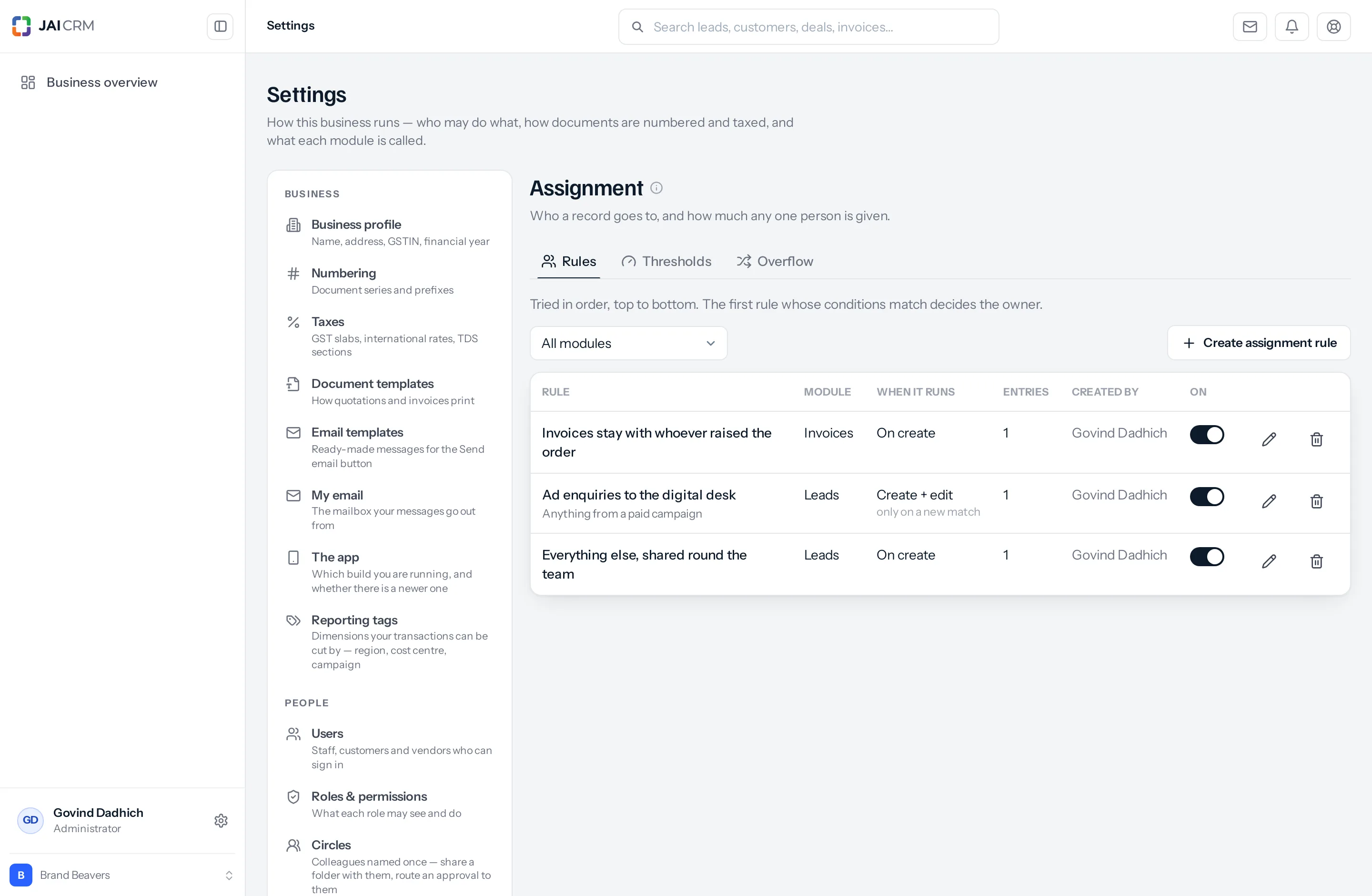
The three tabs, in one line each
| Tab | The question it answers | Read |
|---|---|---|
| Rules | Who should this record go to? | This page. |
| Thresholds | How much is one person allowed to be given? | Cap how much one person is given |
| Overflow | What happens to what nobody could take? | When everybody is full |
They are in that order because they depend on each other in that order. Rules are useful on their own. Thresholds only mean something once rules are handing work out. Overflow only means something once a threshold has turned something away.
Reading the list
Every rule you are allowed to see is in this one table, whichever module it governs.
| Column | What it tells you |
|---|---|
| Rule | The name you gave it, with its description underneath if you wrote one. This is the column people read, so the name is worth spending ten seconds on. |
| Module | Which module it governs — Leads, Invoices, Projects. A rule governs exactly one. |
| When it runs | On create, On edit or Create + edit, with the edit behaviour in small grey type underneath when there is one. Explained here. |
| Entries | How many entries the rule holds. A rule showing 0 does nothing at all — that is the commonest reason a rule appears not to work. |
| Created by | Who wrote it. Useful when a rule surprises you and you want to ask somebody before changing it. |
| On | A switch. Off means the rule is ignored but kept. |
The All modules dropdown above the table narrows it to one module. On a business with thirty rules this is how you find the four that govern invoices without reading the other twenty-six.
Turn a rule off rather than deleting it. The switch in the On column takes effect immediately and keeps the rule, its entries and its conditions intact. When a rule is misbehaving and you are not yet sure why, switching it off stops the damage in one click and leaves you something to read afterwards. A deleted rule is gone, and rebuilding four entries from memory is not a pleasant afternoon.
How it decides
- Rules for that module are tried in order, top to bottom.
- Inside a rule, its entries are tried in order too.
- The first entry whose conditions match decides it.
- That entry hands the record to the next person in its list, in turn.
- Anybody at their threshold is skipped, and it goes to the next candidate.
- If everybody it could name is full, it goes to the default owner.
Two words in that list do the heavy lifting. First — once an entry matches, nothing below it is even looked at. And in turn — where an entry names several people, they are not all given the record; they take it one after another, and the product remembers whose turn is next between one record and the next.
When a rule stands aside
A rule decides the owner unless somebody has actually chosen one. The distinction matters, because the New Lead form arrives with the Owner box already filled in as you, and so does a new quotation, sales order, proforma, invoice, bill of supply or credit note.
| On the form | What happens |
|---|---|
| You leave Owner as yourself | The rules decide. That box is a default, not a decision. |
| You change Owner to a colleague | Your choice stands. No rule overrides it. |
| You clear Owner entirely | The rules decide. |
| Created through the API with no owner | The rules decide. |
| Created through the API naming an owner | That stands. |
The one case to know about: deliberately picking yourself on a record a rule would claim. The rule wins, because leaving the default and choosing yourself look identical by the time the record reaches the server. If you want a particular record kept off the rules, give it to somebody by name — or change the owner after it is saved, which nothing touches.
Nothing happens until you write one
With no rules, a new record belongs to whoever created it, exactly as before. Nothing about assignment is on by default, and nothing about it is doing anything quietly in a business that has not set it up.
And a rule only runs when you have said it may. Every rule is set to When a record is created unless you change it, so writing one never reaches back and reshuffles the records you already have. If you want a rule to act on records as they change, you say so on the rule itself — see when a rule runs.
Which modules it governs
Every module where a person answers for the record — thirty-nine of them — each with its own rules, chosen inside the rule itself.
| Group | Modules | Typically used for |
|---|---|---|
| CRM | Leads, Customers, Companies, Deals, Tasks, Visits | Distributing enquiries, and who owns the relationship afterwards. |
| Sales documents | Quotations, Sales orders, Proforma invoices, Invoices, Bills of supply, Retainer invoices, Credit notes, Delivery challans | Who is accountable for a document. Each type has its own rules, so quotations can route by region while invoices stay with whoever raises them. |
| Purchase | Vendors, Purchase orders, Purchase bills, Debit notes, Payments made | Which buyer looks after which supplier, and who is answerable for each order raised against them. |
| Inventory | Items, Stock transfers, Stock adjustments, Assemblies, Packages, Bills of materials | Who is answerable for a movement, a build or a pack. |
| Making things | Manufacturing orders, Quality inspections | Which supervisor answers for a run, and who signs for the check. |
| Delivery | Projects, Project tasks, Subscriptions, Documents, Files | Who runs the job, who does each task, and who owns the renewal. |
| Money | Expenses, Payments received, Manual journals, Fixed assets | Whose expense it is, and which accountant answers for an entry. |
| After the sale | Warranties | Who handles a claim. |
| People | Circles, Project groups | Who leads a team. |
Every module has its own page saying what routing means there, which of its fields are worth routing on, and whether a cap is worth setting up at all.
A project task is the odd one out, and worth knowing about. A task is given to somebody rather than owned by them, so its owner is the Assigned to field rather than an Owner field. Rules for project tasks set that instead, and everything else works the same. A manufacturing order is the other one: its field reads Answerable.
Some modules are deliberately left out, and it is worth saying which. A warehouse, a work centre, an operation, a job card, an item category, a price list, a chart-of-accounts line and the billing catalogue are places, steps and rows you define once — not work a person answers for. “Only mine” has no meaning on them, so they are not offered.
The list is read from the modules themselves rather than written down, so a module added later appears here automatically and one you rename in Settings is renamed here too.
Where it applies
Every way a record is created goes through the same rules:
- Typed in by hand, on the New form.
- Brought in by import from a spreadsheet.
- Pulled in from IndiaMART overnight.
- Created through the API.
That is worth stating because it is the opposite of how some products do it — several restrict assignment rules to imports and web forms, which leaves the manually created records, and most records are manually created.
A rule can also be set to act when a record is edited — when a lead you logged as a walk-in turns out to have come from an ad, for instance. That is off unless you switch it on: see when a rule runs.
The one exception is a record created with an owner already named. Then whoever created it has made the decision and no rule overrides them.
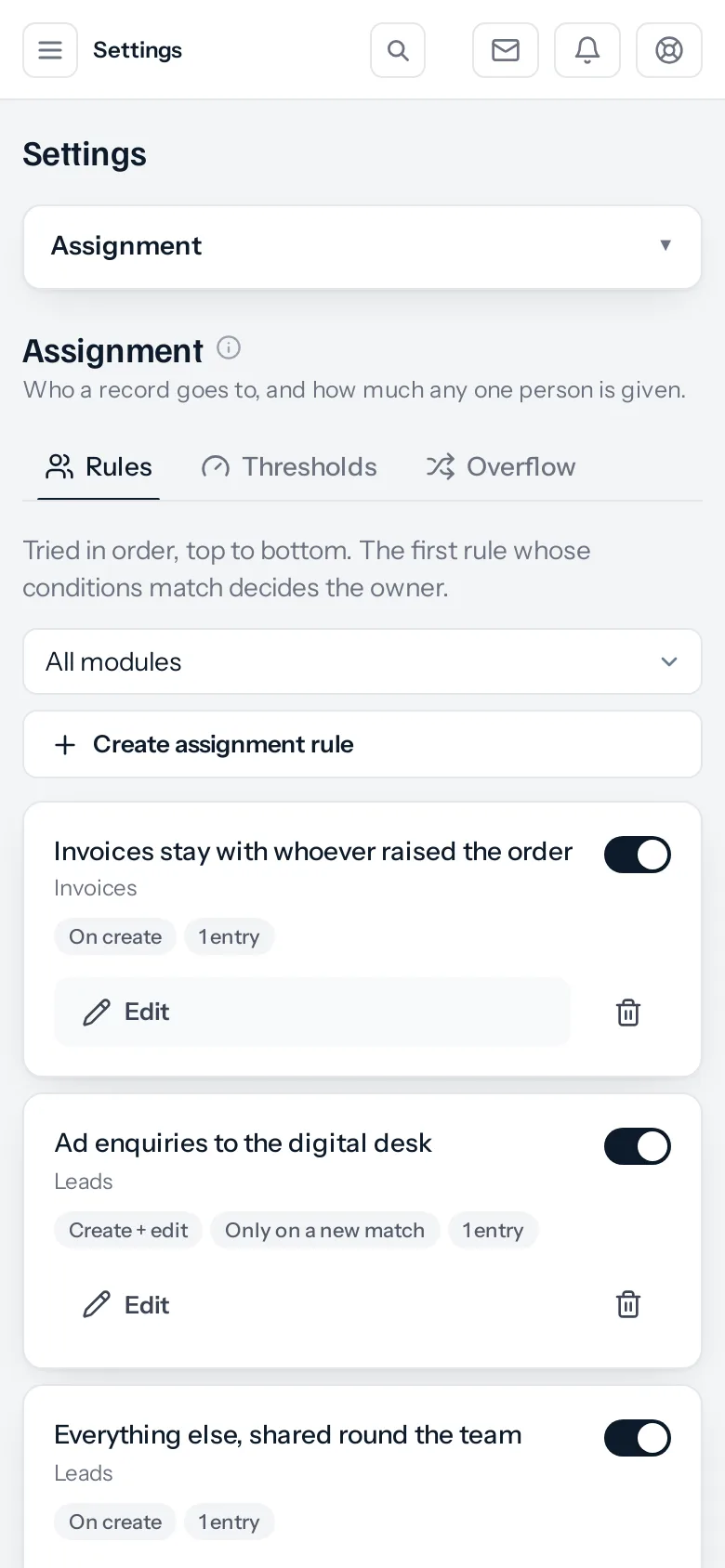
On a phone
The same three tabs, the same rules, the same switches. The table becomes a card each, and what the columns said becomes small pills under the name.
What goes wrong, and what it looks like
| What you see | What is usually behind it | What to do |
|---|---|---|
| New records still belong to whoever created them | The rule has no entries, or its On switch is off. A rule is only a name; the entries are the work. | Check the Entries column reads at least 1. |
| Only the first entry ever fires | An entry set to Every record is sitting above the specific ones. It matches everything, so nothing below it is reached. | Move the catch-all to the bottom. |
| Nothing happens when you edit a record | The rule is set to When a record is created, which is where every rule starts. | Change when it runs. |
| Everything lands on one person | Either the entry names one person, or the others are at their cap and are being skipped. | Check the Thresholds tab. |
| A rule somebody mentioned is not in your list | It governs people outside your part of the organisation, so it is not yours to see. Or the All modules filter is set to one module. | Who can see which rules. |
| A record went somewhere unexpected | Something matched that you did not expect to match. | Open the record and read why it came to you — it names the rule and the entry. |
Where to go next
- Writing your first one
- When a rule runs — on create, on edit, or both
- Capping how much each person gets
- Where the overflow goes, and how it moves on
- Who is allowed to set them
- What routing means in each of the thirty-nine modules
Something missing or wrong here? Tell us. A question that needed asking usually means a page that needed writing.