
A rule is a name and a few settings. The work is in its entries, and a rule with none does nothing at all — the form says so, in as many words, until you add one.
There are two forms involved, one inside the other. The outer one is the rule. The inner one is an entry. Take them in that order.
Step one — the rule
Press Create assignment rule on the Rules tab. The first thing it asks is the module, and until you answer it the rest of the form is not there.
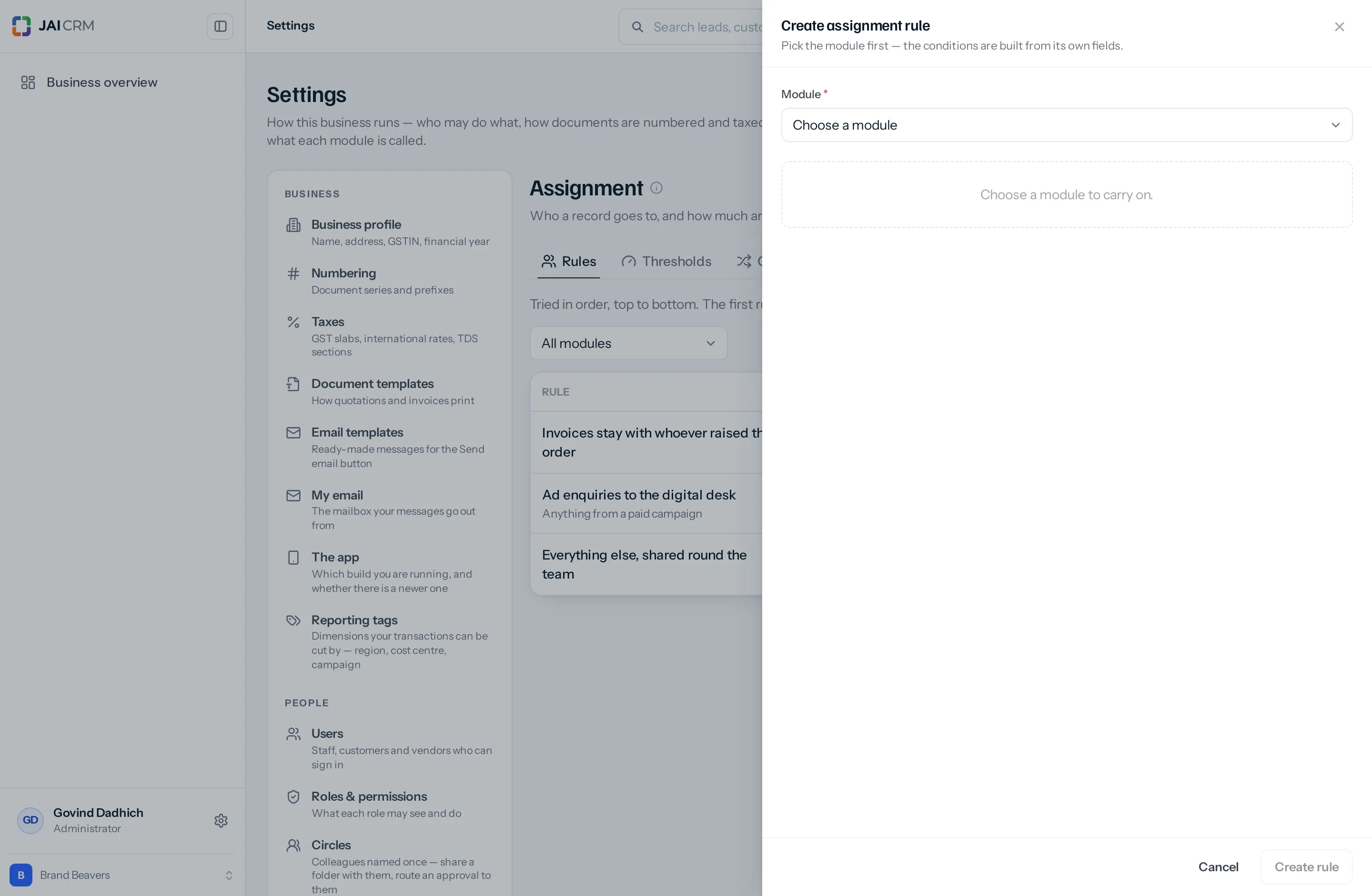
Once the module is chosen the rest appears.
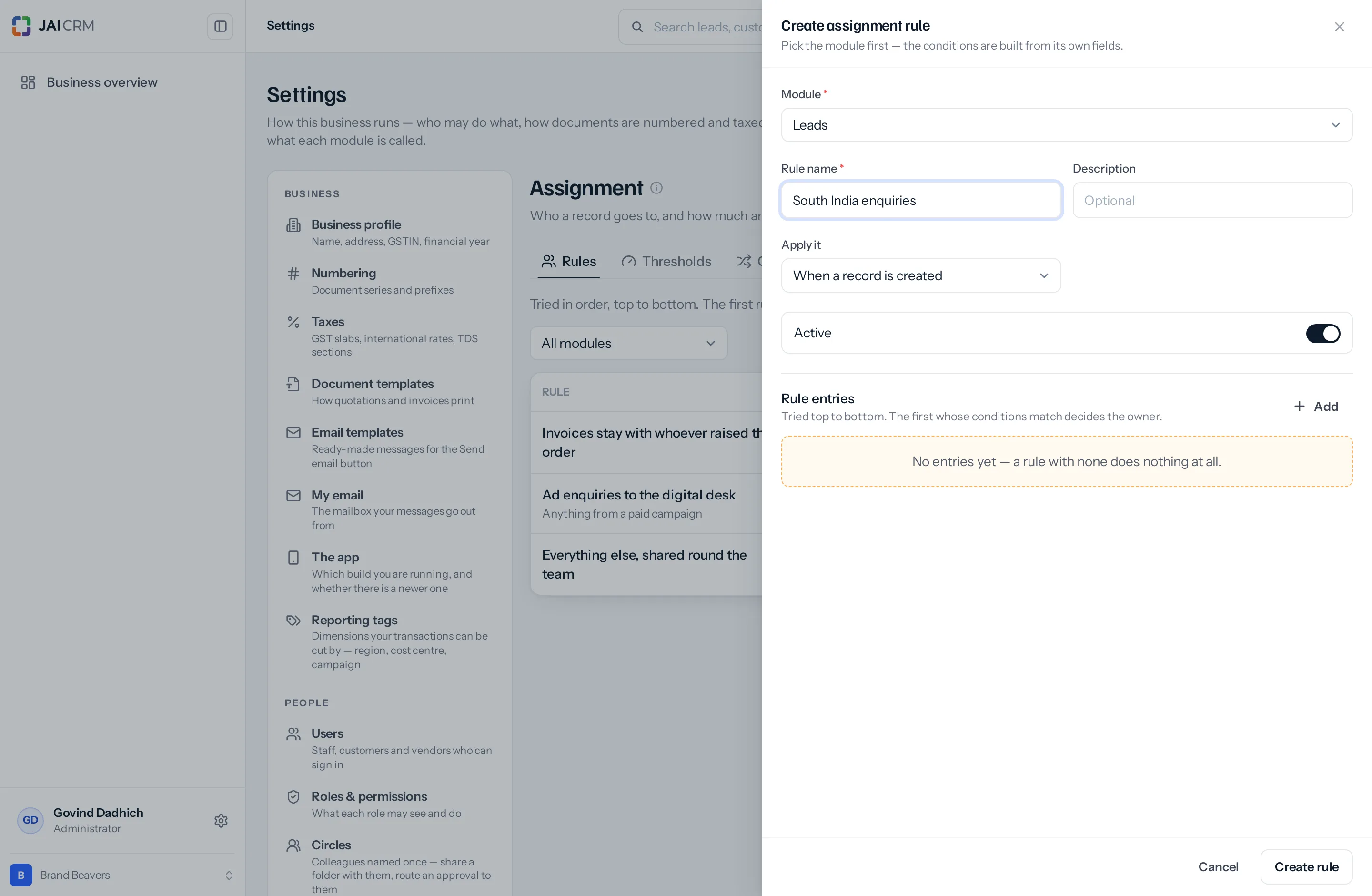
| Box | What it does | What to put |
|---|---|---|
| Module (required) | Which module the rule governs. Decides which fields the conditions can be built from. | One of the thirty-nine. Choose it first — nothing else appears until you do. |
| Rule name (required) | What the rule is called in the list, in the audit trail, and on the record when somebody asks why it came to them. | Something you would say out loud. South India enquiries, not Rule 2. Somebody will read this in eight months with no memory of writing it. |
| Description | A line under the name in the list. | Optional, and worth it for the rule whose name cannot quite carry the whole thought. Anything from a paid campaign. |
| Apply it | When the rule is allowed to act — on create, on edit, or both. | Leave it on When a record is created unless you have read when a rule runs and want one of the others. |
| On an edit | Appears only once Apply it is set to edit or both. Decides whether an edit re-applies the rule every time, or only when the record newly matches. | The careful answer is Only a new match. The difference is large. |
| Active | On or off. Off keeps the rule and ignores it. | On. Turn it off later when you want to stop a rule without losing it. |
| Rule entries | The list of entries, with an Add button. This is the actual rule. | At least one. See step two. |
Change the module while writing and the entries are cleared, because conditions built from one module’s fields mean nothing against another’s. And once the rule is saved the module is settled — reopen it and where the dropdown was you will read For Leads. A rule stays with the module it was written for. If you picked the wrong one, write a new rule and delete the old.
Step two — the entries
Press Add under Rule entries. Each entry answers two questions and offers one extra.
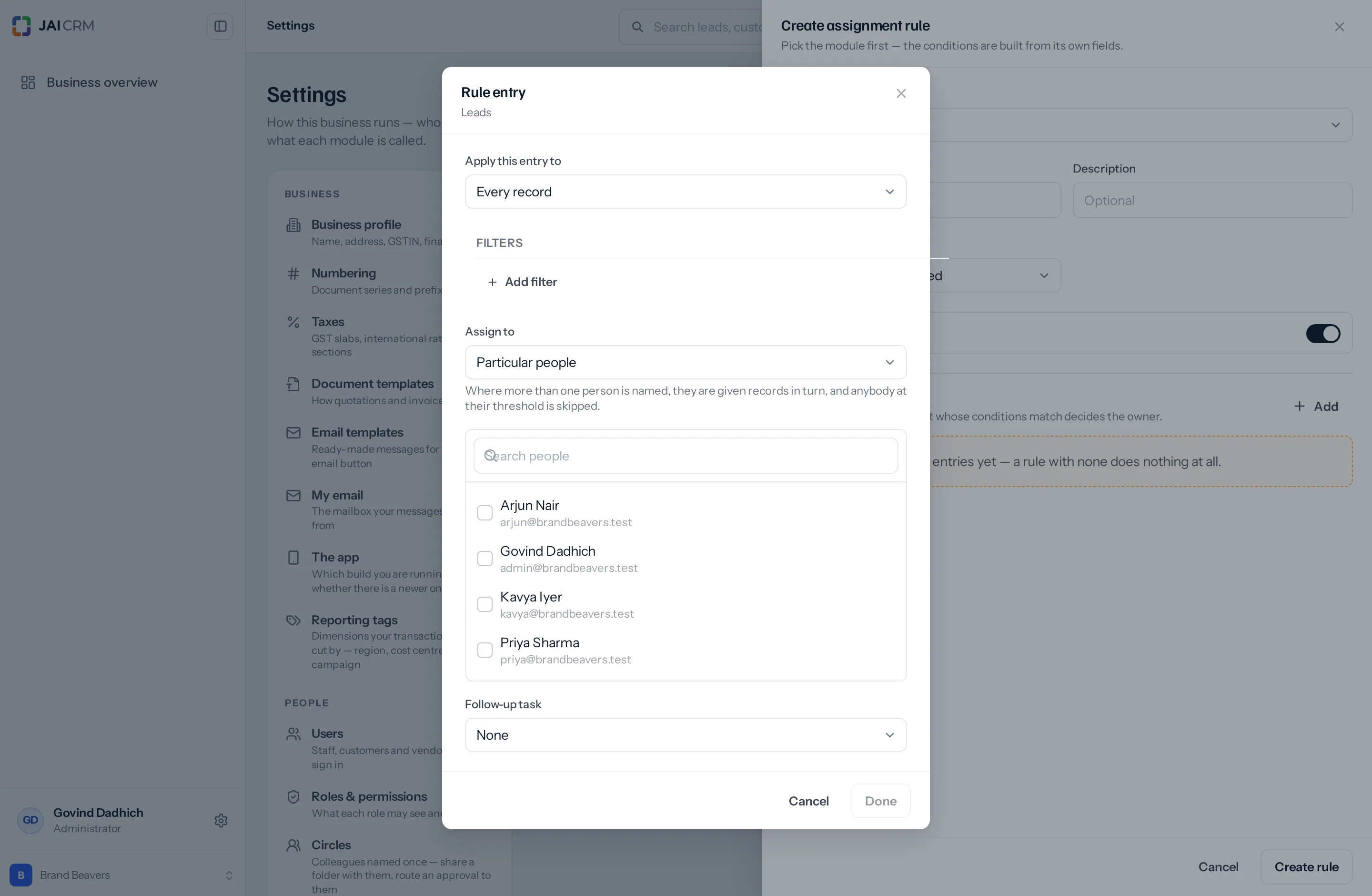
Which records?
| <b>Apply this entry to</b> | What it means | When |
|---|---|---|
| Every record | No conditions. This entry matches everything that reaches it. | The catch-all at the bottom of a rule — everything else, shared round the team. Also fine as the only entry in a simple rule. |
| Records matching certain conditions | A Filters builder appears, offering the module’s own fields. | Everything else. City, source, value, a custom field your trade sorts by. |
The filter builder is the same one used for list filters and sharing rules, so the conditions you can write here are the conditions you can already write elsewhere: several of them, joined by and or or, on any field the module has.
Who gets them?
| <b>Assign to</b> | Who ends up in the rotation | As people come and go |
|---|---|---|
| Particular people | Exactly the people you tick. A search box narrows a long staff list. | You edit the rule when somebody joins or leaves. |
| Everyone in a role | Everybody holding that role right now. | Somebody given the role joins the rotation on their own. Nothing to remember. |
| Everyone in a circle or project group | Everybody in that circle or group right now. | Managed by editing the group, not the rule. |
Circles and project groups are different things, and the dropdown keeps them apart under two headings. A circle is colleagues named once so you can share a folder with them or route an approval to them — staff only. A project group is a project’s roster, and it can hold a customer contact as well as your own people. Assignment only ever gives records to active staff, so a project group that is mostly customer contacts yields far fewer candidates than its size suggests — and one holding no staff at all yields none, and the entry quietly does nothing. For routing work, a circle or a role is nearly always the one you want.
Where an entry names more than one person, they are given records in turn — first to one, then the next, then back round. The rotation is remembered against the rule itself, so it carries on correctly after an update or a restart rather than starting again at the top of the list and burying the first name.
Somebody who has left, or whose login has been switched off, is skipped automatically — the rotation moves to the next person rather than assigning to a name nobody is behind. You still want to tidy the rule, but a departure does not break it on the day.
The follow-up task
| <b>Follow-up task</b> | What happens |
|---|---|
| None | Just the assignment. |
| Raise one when it is assigned | Two more boxes appear: Task — what it says, such as Call the new lead — and Due in (days). The task is raised against the new owner at the moment the record is assigned. |
Worth switching on for leads. A lead arriving with a name against it is better than one arriving with nobody; a lead arriving with Call the new lead, due tomorrow against it is better again, because it shows up on somebody’s list of things to do rather than only in a column they may not be looking at.
Order matters, and it is the usual mistake
Put the specific entries above the catch-all. An entry for Every record sitting first will match everything, and the four carefully written entries underneath it will never fire. Nothing warns you, because a first entry that matches everything is also a perfectly legitimate rule — it is exactly what you want at the bottom.
A worked rule
A business with a south team, an ads desk and everybody else. One rule on Leads, three entries:
| Order | Apply this entry to | Assign to | Follow-up task |
|---|---|---|---|
| 1 | City is Chennai, Bengaluru or Coimbatore | The South sales circle, in turn | Call the new lead, due in 1 day |
| 2 | Source is IndiaMART | Priya and Arjun, in turn | Call the new lead, due in 1 day |
| 3 | Every record | The Sales executive role, in turn | None |
Follow that through with four enquiries:
| The enquiry | Entry that decides it | Why |
|---|---|---|
| Chennai, from IndiaMART | 1 | Entry 1 matches first, and the first match wins. Entry 2 also matched, and is never reached — which is why the more specific entry sits above the broader one. |
| Mumbai, from IndiaMART | 2 | Entry 1 did not match; entry 2 did. |
| Mumbai, walk-in | 3 | Nothing specific matched, so the catch-all took it. |
| Chennai, walk-in, owner set to Kavya on the form | None | Somebody chose an owner. No rule overrides that. |
Swap entries 1 and 3 and every one of those four lands on the Sales executive role, because a catch-all at the top matches everything. The rule would look correct in the list, report three entries, and be wrong.
People, a role, or a group?
Prefer a role or a circle for the same reason you prefer them when sharing a folder: you are recording a rule rather than a snapshot of who happened to be here the week you wrote it. A rule naming three people is a rule that quietly stops being right.
| Situation | Point it at |
|---|---|
| Every sales executive should take a turn | The role. New joiners are covered without anybody remembering. |
| A regional desk of four, who are not a whole role | A circle. |
| Two named seniors who handle large enquiries | Particular people. It really is those two, and naming them is honest. |
| The team on one project | A project group — but check who is actually in it first. |
Conditions worth reaching for
- City or state — a regional desk.
- Source — IndiaMART, website, referral, exhibition.
- Value — larger enquiries to somebody senior.
- Product or category — where the sale needs somebody who knows the thing being sold.
- Whatever custom field your trade actually sorts by. If your team says “that is a retrofit job” twenty times a day, that is the field to route on.
What goes wrong
| Symptom | Cause | Fix |
|---|---|---|
| The rule does nothing | It has no entries. The list shows 0 in the Entries column and the form shows an amber box. | Add an entry. |
| Only one entry ever fires | A catch-all sits above the specific entries. | Move it to the bottom. |
| One entry never fires | Its conditions cannot both be true — City is Chennai and City is Mumbai is nobody. | Read the conditions aloud. If the sentence is impossible, it is. |
| Everything goes to the first person named | Rare, and worth reporting. The rotation is stored against the rule, so it should survive restarts. | Check the record’s own assignment note first — it usually shows the others were skipped at their cap. |
| An entry pointed at a group assigns nobody | The group holds no active staff — commonly a project group of customer contacts. | Point it at a circle or a role. |
| The people you want are not in the list | They are outside your part of the organisation, or they are portal logins rather than staff. | Who you may assign to. |
Where to go next
- When a rule runs — and what “on edit” really means
- Stopping one person getting everything
- Checking what a rule actually did
Something missing or wrong here? Tell us. A question that needed asking usually means a page that needed writing.