
Everything in Cross-sell works on a phone, in a browser or the JAI CRM Android app, laid out for the narrow screen rather than squeezed.
The rules and the waiting list
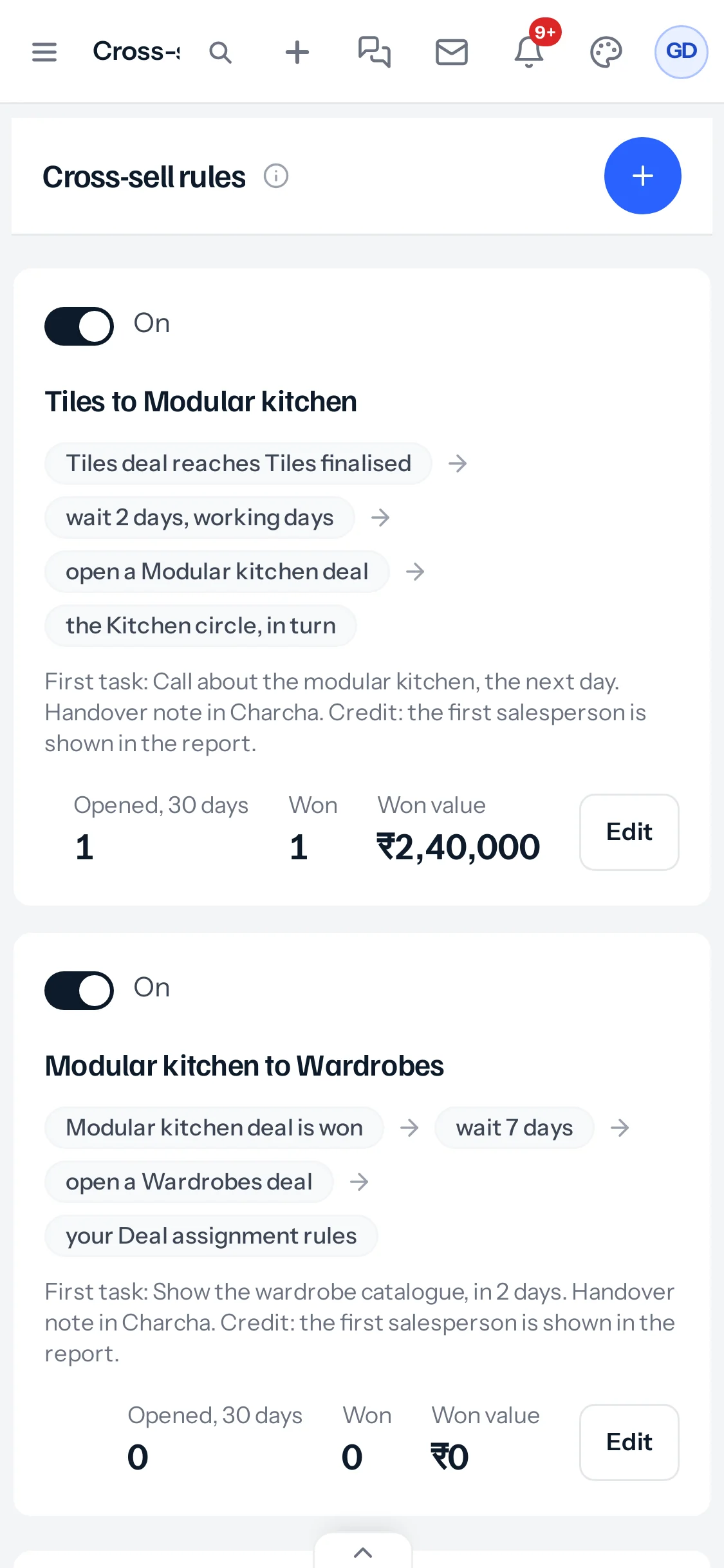
Each rule is a card: its switch, its name, its chain of steps wrapping onto several lines, the first task, and its figures for 30 days with Edit. The waiting list follows, one deal per block, with the day it opens and Open now and Don’t open underneath.
Writing a rule
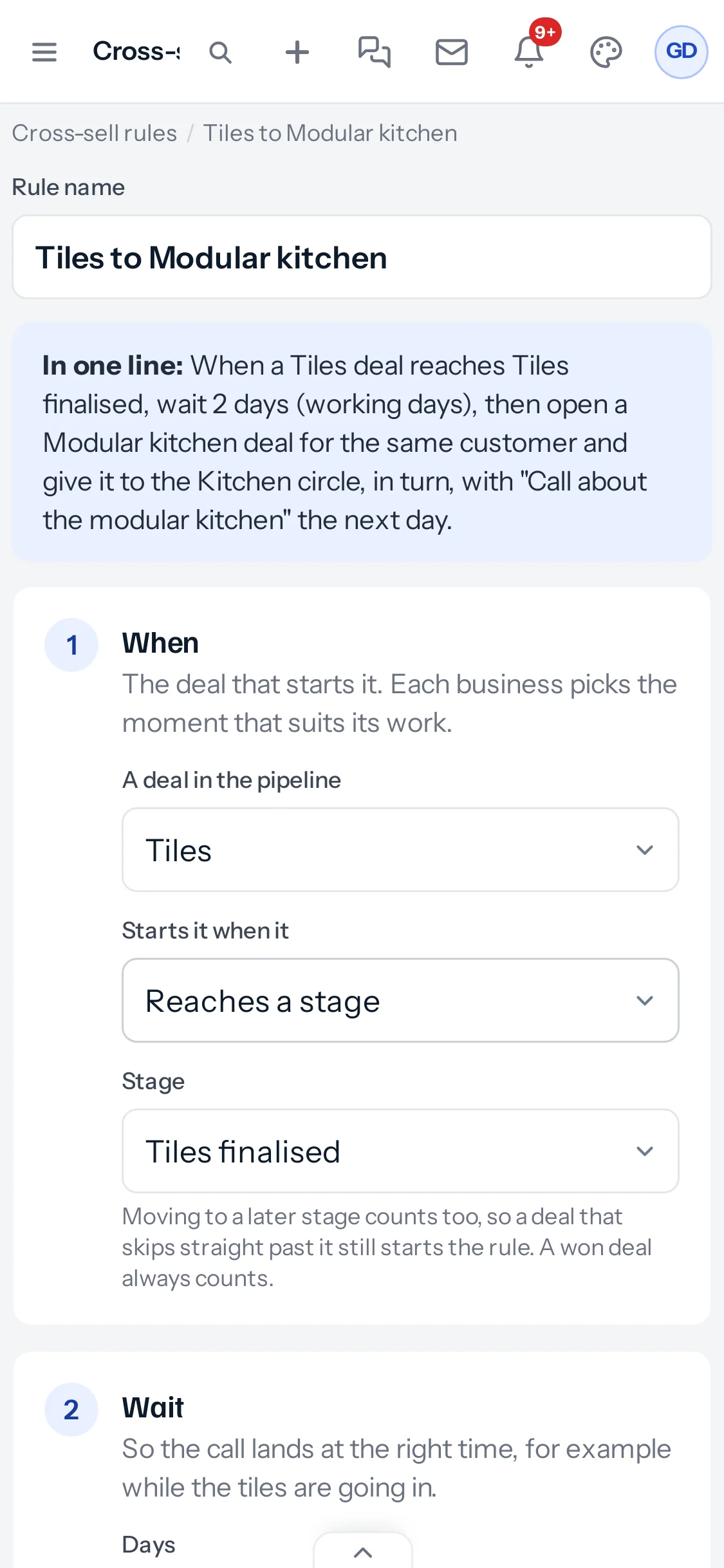
The rule page is the same eight steps, each full width, with the one-line summary at the top. Two boxes side by side on a computer sit one above the other. Save rule is at the end of the page, not stuck to the screen.
On a deal
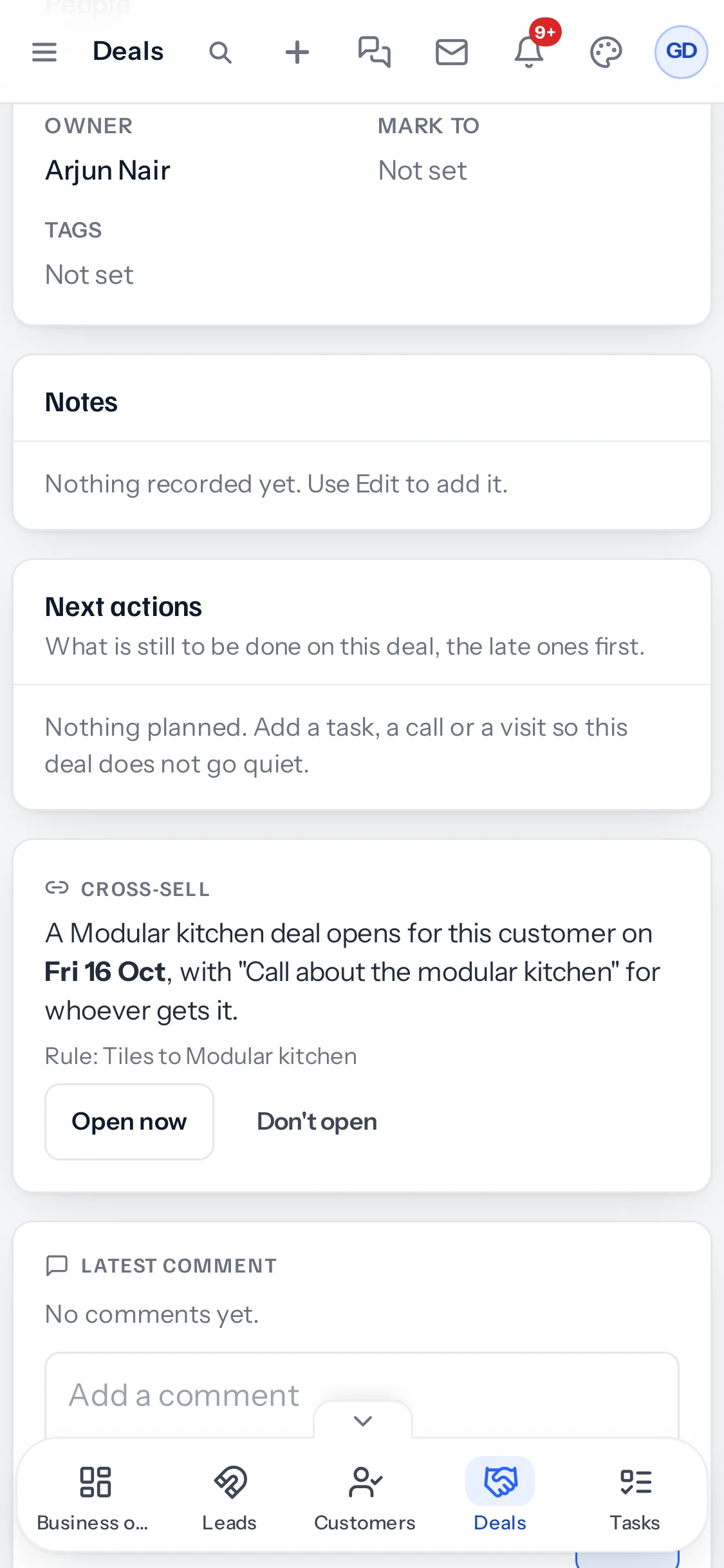
The Cross-sell card is further down a deal’s page on a phone, after its notes and next actions, with Open now and Don’t open full size for a thumb. The Cross-sell from line sits under the deal’s title, as on a computer.
Converting a lead
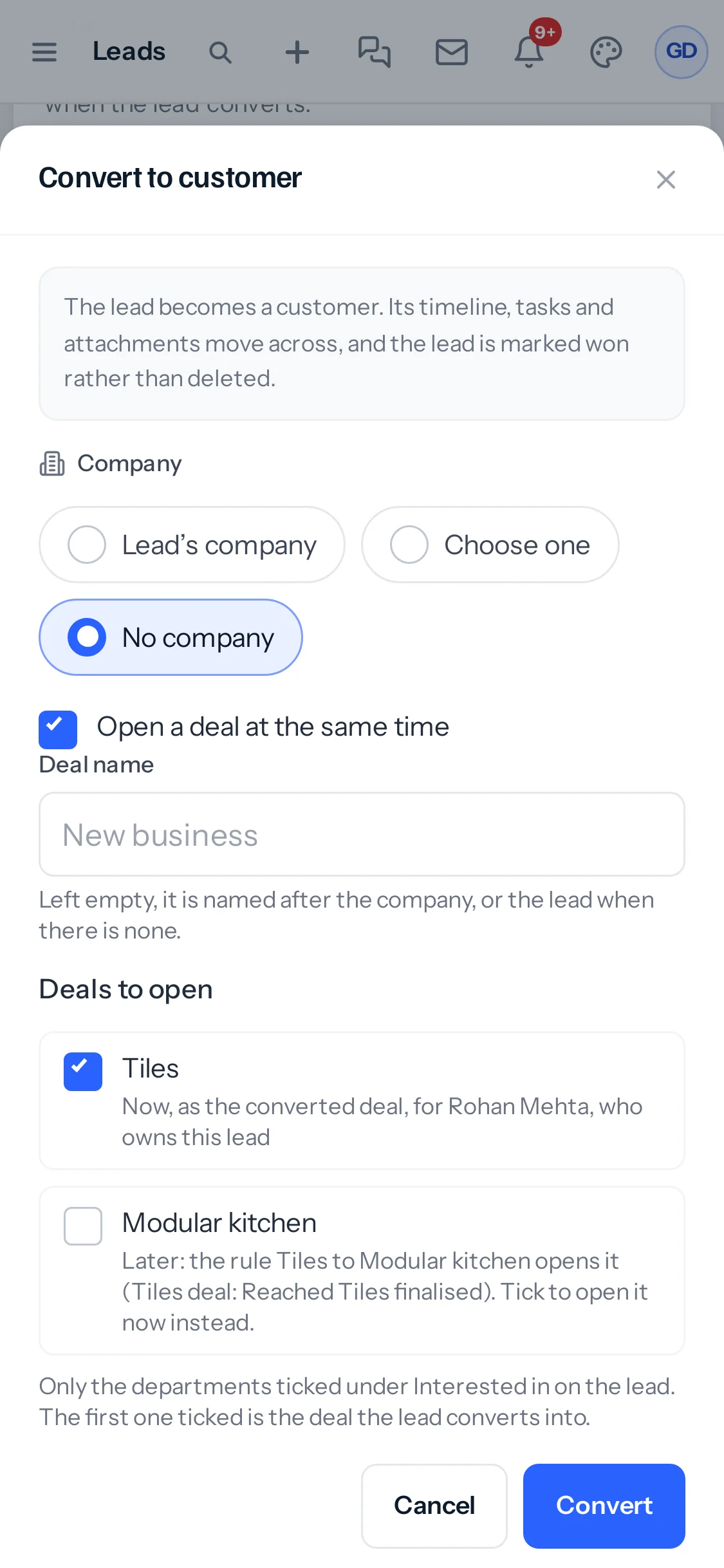
The convert window fills the screen, with Deals to open under the deal name and Convert at the bottom.
The new owner’s Deal assigned to you notice reaches the app’s bell. Notices on a phone with the app closed depend on your phone’s settings for the JAI CRM app.
Light and dark
Every Cross-sell screen follows the light or dark appearance each person has chosen, on a phone as on a computer.
Open now from a phone
A sales head away from the desk can open a waiting deal from the waiting list or the deal’s card, and the new owner is told on their own phone the same minute. Switching a rule on or off works from the phone too, with the same message about deals already there.
Which app version
The Android app shows Cross-sell from version 1.3.145. An older version keeps working, without the new screens, until it is updated from Settings, App.
Converting on a phone
The Convert button says how many deals will open, as on a computer, so the count is in front of you before you press it. Each deal it opens appears in the Deals list straight away, and its new owner is told on their own phone.
Something missing or wrong here? Tell us. A question that needed asking usually means a page that needed writing.