
A customer who buys floor tiles from you is about to need a kitchen, wardrobes and lights. Most businesses sell those from separate departments, each with its own salespeople and its own way of working. The tiles salesperson is busy with the next tiles customer, the kitchen team never hears about this one, and a customer who was ready to buy goes to somebody else.
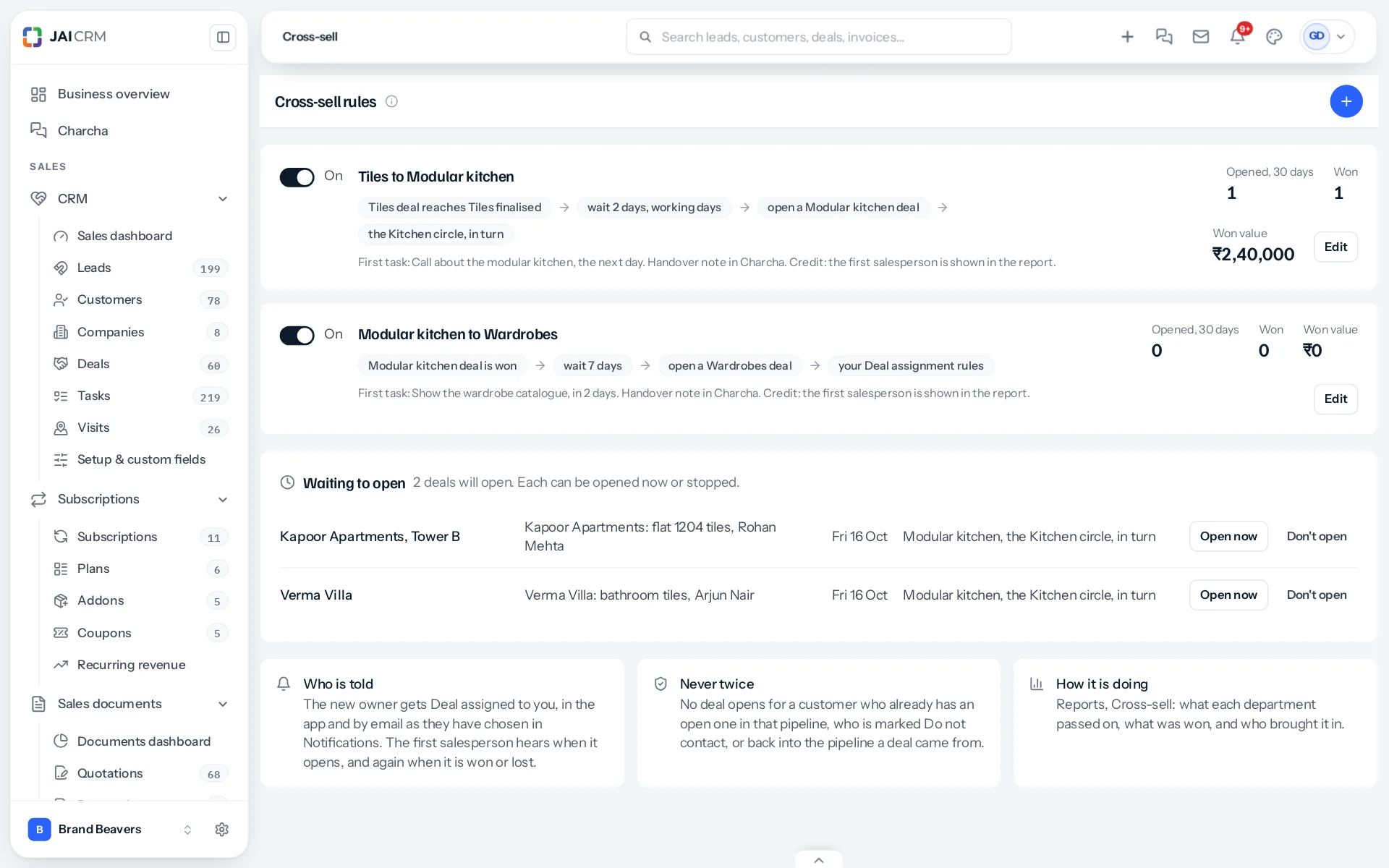
Cross-sell closes that gap. You write a rule once, for example: when a Tiles deal reaches Tiles finalised, wait two working days, then open a Modular kitchen deal for the same customer and give it to the Kitchen circle. From then on JAI CRM watches every Tiles deal. When one gets there, the kitchen deal opens on the right day, goes to the right person with a first task, and starts with a handover note so nobody has to ask the customer the same questions again.
How it works, in one line each
- Each department has its own pipeline in Settings, CRM, Pipelines: Tiles, Modular kitchen, Wardrobes.
- A rule says which pipeline starts it, and when: a stage, the deal being won, or a number of days before or after a date on the deal.
- When a deal gets there, it goes on the waiting list with the day it will open. A wait of two working days skips the days your business does not work.
- On that day the new deal opens for the same customer, carrying the contact person, the site address and the source, and goes to the person or circle the rule names.
- The new owner gets a first task and a handover note in the deal’s Charcha conversation. The first salesperson is told it opened, and later whether it was won or lost.
- Reports, Cross-sell shows what each department passed on, what was won, and who brought it in.
What it does not do
- It never touches the first deal. The tiles deal stays with its own salesperson, at its own stage, with its own value.
- It does not open a deal for a customer who already has an open one in that pipeline, who is marked Do not contact, or back into a pipeline the deal came from. See What stops a deal opening.
- It does not act on deals that were already there when the rule was saved, unless you ask it to. See Deals already there when a rule is saved.
- It does not write to the customer. The new owner does that, with everything they need in the handover.
- It does not pay commission. Who brought a deal in is recorded and shown in the report; paying for it comes with the Targets and Commission module.
Cross-sell is a separate module in the Full Suite plan. It appears only for a business that has it switched on, and nothing about your deals, leads or customers changes until it is. See Switching Cross-sell on.
Something missing or wrong here? Tell us. A question that needed asking usually means a page that needed writing.