
Cross-sell is its own module, like Channel Partners or Exhibitions, rather than part of CRM. It comes with the Full Suite plan and is not sold on its own. A business that takes Full Suite gets it switched on. A Full Suite business that was already with us on 14 October 2026 has it switched off, ready to switch on in Settings, Plugins whenever it wants. On any other plan, Plugins lists it as not in the plan.
What appears when it is on
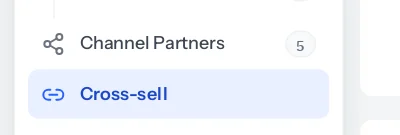
- Cross-sell in the sidebar, which opens the rules and the waiting list.
- Three boxes on a deal: Contact person, Site address, and Cross-sell from on a deal a rule opened.
- Do not contact on customers and on the people at a customer.
- Interested in on leads, and Deals to open in the window that converts a lead.
- A Cross-sell card on a deal that has passed a customer on, and a line under the title of the deal it opened.
- Three reports under Reports, Cross-sell.
- Deal assigned to you in the Notifications library, ready to install.
- Cross-sell rules in Roles and permissions. See Who can do what.
What stays the same
Nothing about your existing records changes when it is switched on. Deals keep their stages, values and owners. Customers and contacts are not marked Do not contact, leads are not interested in anything, and no deal is opened, because there are no rules until somebody writes one. A business that never switches it on sees none of it: not the menu, not the new boxes on its forms, not the reports, and not the extra notice in the library.
If it is switched off again
- The menu, the new boxes, the deal card, the reports and the library notice disappear.
- Nothing is deleted. Rules, the waiting list, contact persons, site addresses and Do not contact ticks are all kept.
- Rules stop looking at deals, and nothing on the waiting list opens while it is off.
- Switch it back on and the rules carry on from where they were. A deal whose day passed while it was off opens within five minutes of the module coming back.
Cross-sell needs CRM, because the rules work on deals. The handover note goes into Charcha, which every business has.
Checking it is on
Owners see Cross-sell in the sidebar as soon as it is switched on, and a deal’s page gains Contact person and Site address in its Deal section. If a colleague cannot see the menu, their role does not have View on Cross-sell rules yet; see Who can do what. If nobody can, the module is not on for your business: switch it on in Settings, Plugins.
Something missing or wrong here? Tell us. A question that needed asking usually means a page that needed writing.