
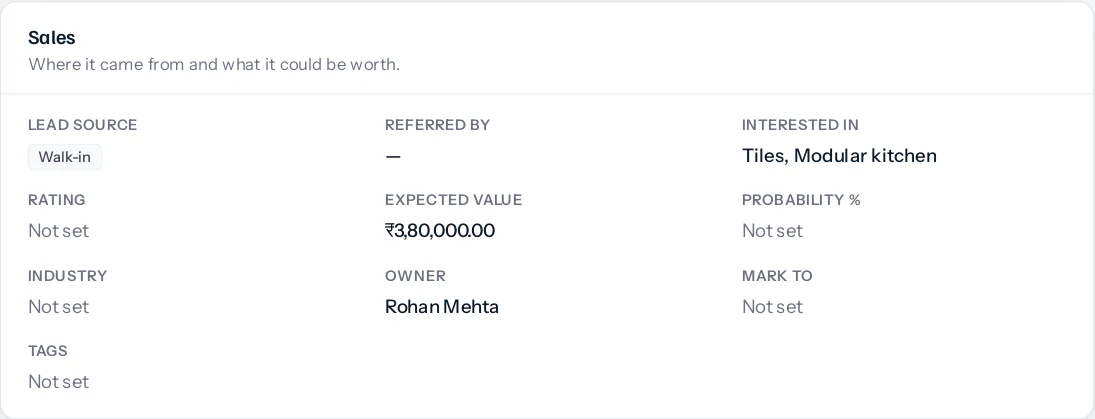
Somebody walks into the showroom and asks about tiles and a kitchen in the same breath. With Cross-sell on, a lead has Interested in, where you tick the departments they asked about. Each choice is one of your pipelines, kept up to date from Settings, CRM, Pipelines.
Converting the lead
When the lead converts to a customer with Open a deal at the same time ticked, the convert window adds Deals to open, one line per department the lead asked about. Nothing happens until you press Convert, and the window says before then exactly what will open.
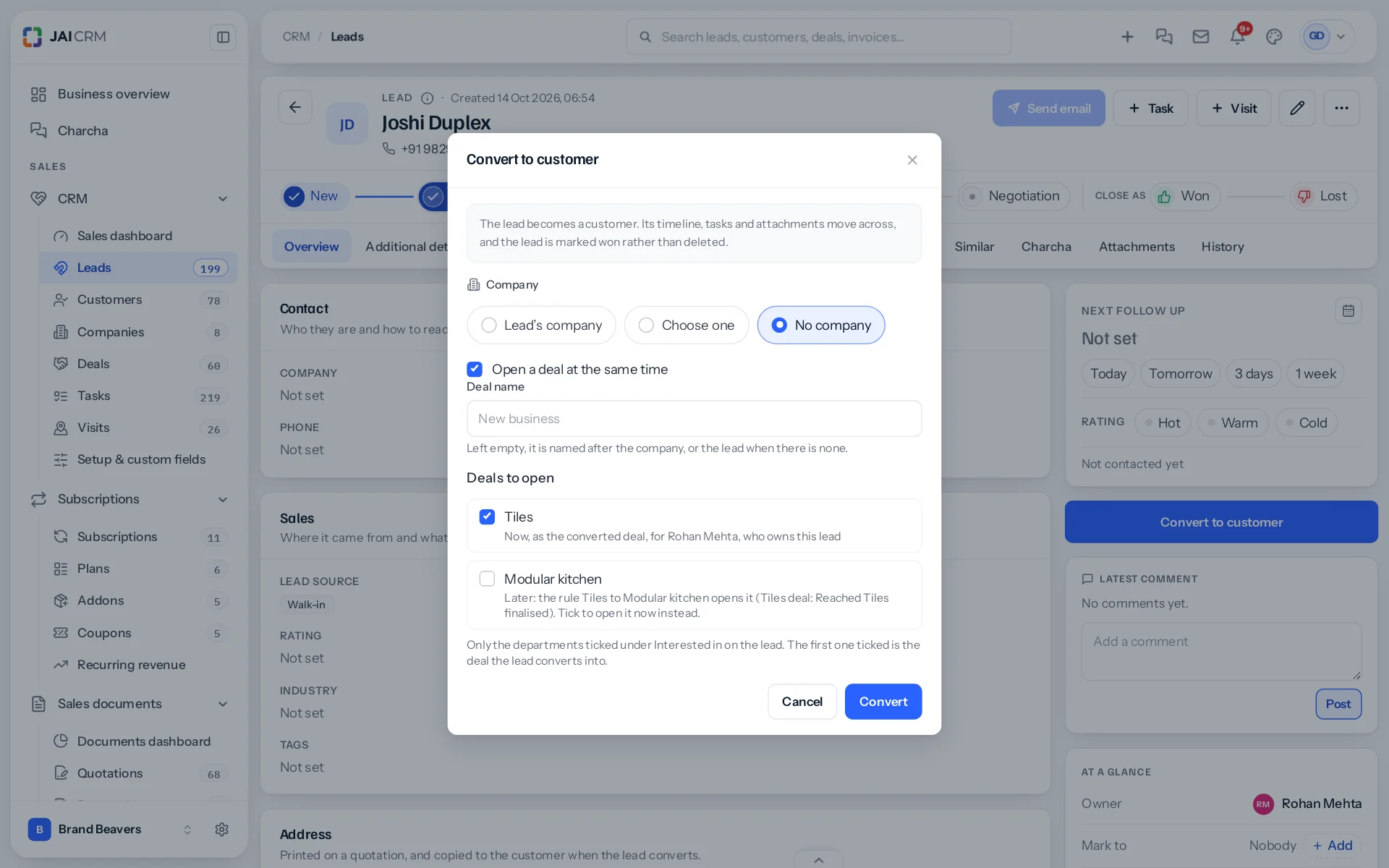
- The first department ticked is the deal the lead converts into, owned by the lead’s owner as a converted deal always is, and named after the company or the lead with the department, such as Joshi Duplex: Tiles.
- Every other department ticked gets its own deal now, given out by your Deal assignment rules for that pipeline, or to the lead’s owner if no assignment rule picks anybody. Each is named the same way and starts on its pipeline’s first open stage, with the lead’s source.
- A department a cross-sell rule will open later starts unticked, saying which rule and when. Leave it, and the rule opens it at the right moment. Tick it, and it opens now; the rule’s safeguard then stops a second one.
The Convert button says how many deals it will open, such as Convert and open 2 deals. Every deal is credited to the lead’s channel partner and exhibition, as any converted deal is.
Both convert windows
The same choice is in the convert window on the lead’s own page and in the one on the Leads list. A lead converted for a quotation or proposal it won opens no extra deals.
Interested in is a record of what they asked about. Changing it after the lead has converted changes nothing.
Filling it in
Interested in is in the lead’s Sales section. Tick every department the person mentions on the first call. The convert window lists them in the order they are kept on the lead, and the first one ticked there is the deal the lead converts into; untick it to make the next one first. A lead interested in nothing converts exactly as before, into your default pipeline.
Interested in appears only where Cross-sell is on. Choices already made are kept if it is switched off.
Something missing or wrong here? Tell us. A question that needed asking usually means a page that needed writing.